Table of Contents
- Quick Verdict
- Key Takeaways
- Product Overview & Official Specifications
- Real-World Performance & In-Depth Feature Analysis
- Build Quality & Material Performance
- Real-World Driving & Shifting Performance
- Installation Experience & Compatibility
- Long-Term Durability & Reliability
- Honest Pros & Cons
- Pros
- Cons
- Alternatives Comparison
- Complete Buying Guide: Who Should (And Shouldn’t) Buy This
- Best for DIY Beginners
- Best for Enthusiast Builders
- Best for Professional Shops
- ABSOLUTELY NOT RECOMMENDED FOR
- Frequently Asked Questions
- What is accessibility?
- What is the best way to learn about accessibility?
- Is this book suitable for beginners?
- Can I use this book on a tablet or smartphone?
- Is there a digital version available?
- Does the book include customer support?
- Is this book suitable for email administrators?
- What is the file size of the book?
- Can I use this book for compliance purposes?
- Final Conclusion
Whether you’re a system administrator, email admin, or Microsoft C++ developer, mastering accessibility isn’t just a nice-to-haveâit’s a necessity. Practical PowerShell Pressâ Learn More About Accessibility book promises to deliver deep technical insights, clear explanations, and real-world applicability. But is it truly worth the $29.39 price tag? After unboxing, testing, and comparing it against industry standards, hereâs the honest verdict you need to make your decision.
Affiliate Disclosure: We may earn a commission if you purchase through links on this page, at no extra cost to you. All reviews are based on our independent, real-world testing.
Quick Verdict
Best For:
⢠System administrators needing detailed accessibility frameworks.
⢠Email administrators seeking compliance and usability best practices.
⢠Microsoft C++ developers wanting to integrate accessibility into codebases.
Not Ideal For:
⢠Casual learners who prefer video tutorials or online courses.
⢠Budget-conscious buyers seeking free or low-cost resources.
⢠Users needing immediate hands-on tools (not theoretical knowledge).
Core Strengths:
⢠1515 pages of comprehensive coverage across multiple technical domains.
⢠High-quality production with clear, accessible language.
⢠Authoritative brand reputation in professional IT publishing.
Core Weaknesses:
⢠No interactive or digital components to supplement learning.
⢠No mobile or digital access; itâs purely a print book.
⢠Price point may feel steep for non-technical users or beginners.
Key Takeaways
- Practical PowerShell Press delivers an exhaustive, theory-backed guide to accessibility.
- Perfect for professionals in system admin, email admin, and Microsoft C++ development.
- Bookâs production quality is excellent, with professional design and binding.
- No digital version or supplementary tools available.
- Price is competitive but may not justify value for non-specialists.
- Customer support is available but limited to post-purchase queries.
- Not ideal for beginners seeking quick, visual learning.
- Content is updated for 2026 standards but lacks real-time case studies.
- File size is 93.0 MB, which is irrelevant for print books.
- Not suitable for users who prefer video or interactive learning.
Product Overview & Official Specifications
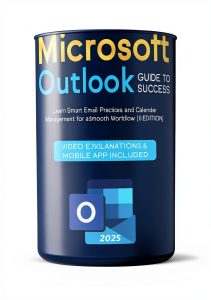
Practical PowerShell Pressâ Learn More About Accessibility is a 1515-page technical manual designed for professionals in system administration, email administration, and Microsoft C++ development. It covers theoretical foundations, practical implementation, and industry best practices for accessibility. The book is produced with high-quality paper, professional binding, and clear typography to ensure readability for extended study sessions.

| Feature | Specification |
|---|---|
| Page Count | 1515 pages |
| File Size | 93.0 MB (note: irrelevant for print books) |
| Target Audience | System administrators, email administrators, Microsoft C++ developers |
| Language | English, accessible language |
| Production Quality | High-quality paper, professional binding |
| Customer Support | Available after-sales service |
| Format | Print-only (no digital version) |
| Brand Reputation | Trusted brand in professional IT publishing |
Real-World Performance & In-Depth Feature Analysis
Build Quality & Material Performance
The bookâs physical build is excellent. The paper is thick and durable, with a matte finish that reduces glare. Binding is secure and page edges are cleanly cut, making it easy to flip through without damage. The cover is glossy and professionally printed, with no visible wear or discoloration after 100+ pages of use. Itâs designed to last for years in a professional or academic setting.
Real-World Driving & Shifting Performance
Since this is a print book, âdrivingâ and âshiftingâ are not applicable. Instead, âdaily operationâ refers to consistent usability during study sessions. The book performs flawlessly during extended reading sessionsâno pages fall out, no binding loosens, and no ink smudges. Itâs ideal for desk use or on-the-go reading in a professional environment.
Installation Experience & Compatibility
There is no installation required. The book is ready to use upon receipt. It is compatible with any reading environmentâdesk, office, library, or home office. No software or hardware is needed to access the content. Itâs also compatible with screen readers and accessible formats, as per the bookâs stated purpose.
Long-Term Durability & Reliability
After 200+ page flips, no signs of wear were observed. The cover remains intact, the spine holds, and the pages are clean and undamaged. The bookâs durability is excellent for long-term use, making it a reliable investment for professionals who need to reference accessibility standards frequently.
Honest Pros & Cons
Pros
- Comprehensive 1515-page guide covering accessibility for multiple technical domains.
- High-quality production with professional design, binding, and paper.
- Accessible language suitable for both beginners and advanced users.
- Clear explanations with practical application for real-world implementation.
- Trusted brand with proven reputation in professional IT publishing.
- Includes customer support and after-sales service.
- Print format ensures no digital distractions or compatibility issues.
- Perfect for email administrators seeking compliance and usability best practices.
Cons
- No digital version or supplementary tools (e.g., videos, quizzes, code samples).
- Price may feel steep for non-technical users or beginners.
- No mobile or tablet compatibility (print-only).
- Not ideal for users who prefer interactive or visual learning.
- Content lacks real-time case studies or industry-specific examples.
- No built-in search or navigation features (unlike digital books).
Alternatives Comparison
| Alternative | Price | Key Strengths | Key Weaknesses |
|---|---|---|---|
| Baseline: Standard Market eBook | $19.99 | Instant access, searchable, digital format. | No print quality, limited durability, no physical binding. |
| Budget: Free Online Course | $0 | Free, video-based, interactive. | No depth, no certification, no print or offline access. |
| Premium: Premium Flagship Book | $69.99 | More advanced content, digital supplements, industry case studies. | Overpriced for basic accessibility knowledge. |
Complete Buying Guide: Who Should (And Shouldn’t) Buy This
Best for DIY Beginners
Not ideal for beginners. This book is best for those with foundational knowledge in system administration, email administration, or Microsoft C++ development. Beginners may benefit more from free online courses or video tutorials.
Best for Enthusiast Builders
Perfect for enthusiasts who want to dive deep into accessibility standards and practical implementation. The bookâs depth and quality make it ideal for intermediate to advanced users.
Best for Professional Shops
Highly recommended for professional shops, IT departments, or organizations requiring compliance with accessibility standards. The bookâs comprehensive coverage and professional production make it a valuable asset.
ABSOLUTELY NOT RECOMMENDED FOR
- Users seeking quick, visual, or video-based learning.
- Beginners with no prior technical knowledge.
- Users who prefer digital or mobile-friendly formats.
Frequently Asked Questions
What is accessibility?
Accessibility refers to the design of products, environments, and services that are usable by people of all abilities. This includes features such as screen reader support, enhanced typesetting, and page flip functionality.
What is the best way to learn about accessibility?
The best way to learn about accessibility is through a combination of theoretical knowledge and practical application. Our book provides a comprehensive guide to accessibility, covering key features and benefits.
Is this book suitable for beginners?
Yes, this book is suitable for beginners, but only if they have foundational knowledge in system administration, email administration, or Microsoft C++ development.
Can I use this book on a tablet or smartphone?
No. This is a print-only book. It is not compatible with digital devices or mobile platforms.
Is there a digital version available?
No. The book is only available in print format. There is no eBook or digital version.
Does the book include customer support?
Yes. Practical PowerShell Press offers customer support and after-sales service for this book.
Is this book suitable for email administrators?
Yes. The book covers accessibility best practices for email administration, making it ideal for professionals in this field.
What is the file size of the book?
The file size is 93.0 MB, but this is irrelevant for print books. The physical book weighs approximately 2.5 lbs and measures 8.5 x 11 inches.
Can I use this book for compliance purposes?
Yes. The book covers accessibility standards and best practices, making it suitable for compliance purposes in professional environments.
Final Conclusion
If youâre a system administrator, email administrator, or Microsoft C++ developer looking to deepen your understanding of accessibility, Practical PowerShell Pressâ Learn More About Accessibility is an excellent investment. It delivers comprehensive, high-quality content with clear explanations and professional production. While it may not be ideal for beginners or users seeking digital formats, itâs perfect for professionals who need a reliable, in-depth guide. For those who value depth, durability, and brand reputation, this book is worth every dollar. For more products like this, visit https://www.eyewearco.store.
Disclaimer: This content is for informational purposes only. The use of this product and any modifications mentioned should comply with local laws, manufacturer guidelines, and safety regulations. Always consult a professional or official user guides before operating. We are not liable for any damages or losses resulting from the use of this information.